X

Thank you for using the PVDN App. We believe it helps subscribers stay connected to the news more easily. However, if you are experiencing issues with the App, we have provided some troubleshooting tips below.
Andrid: https://play.google.com/store/apps/details?id=com.pvnews.app&hl=en
Apple: https://apps.apple.com/us/app/puerto-vallarta-news/id6754093625
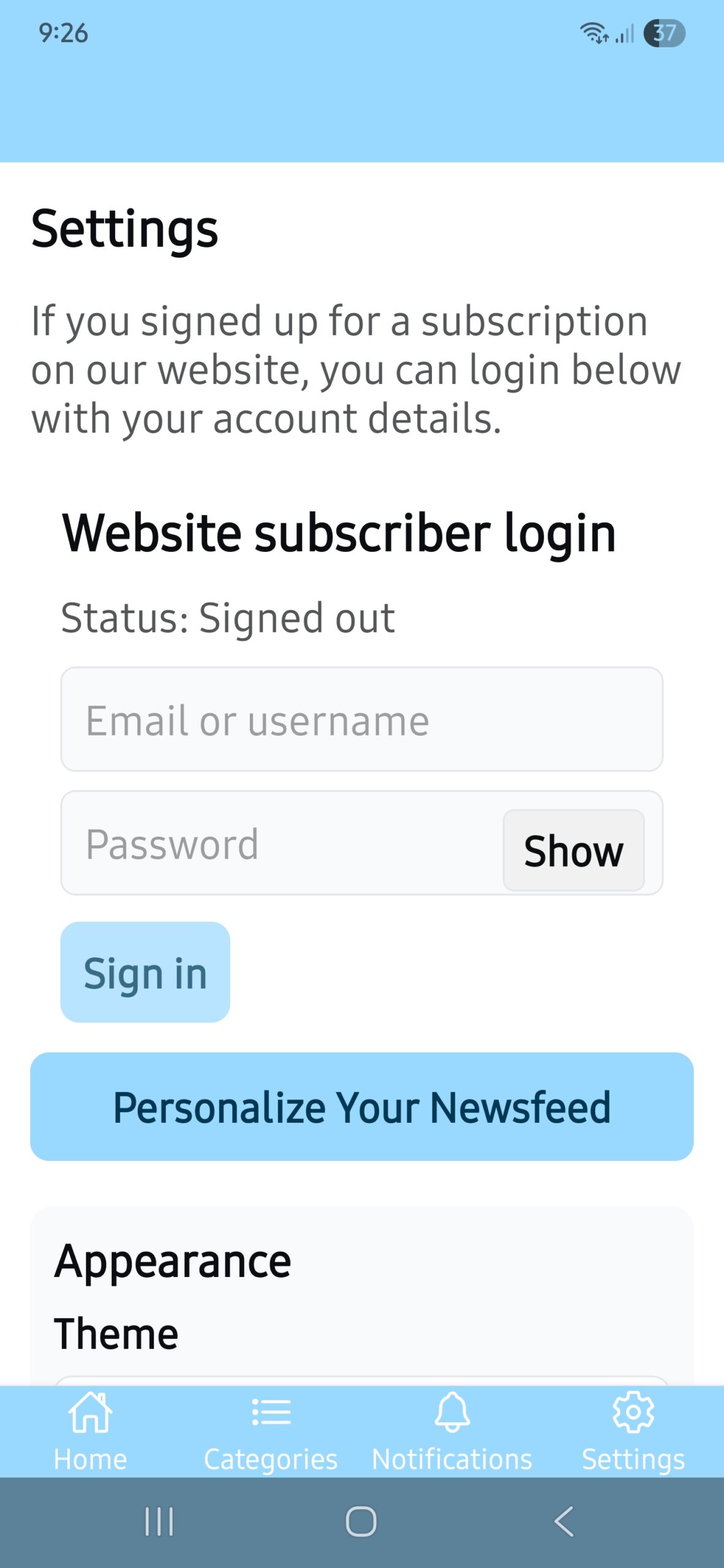
The PVDN App is currently only for website subscribers. When you first open the app, select settings from the bottom menu (last option) and log in with the same email and password you use on the site. Once you log in, you will never need to log in again, unless you log out, uninstall the app, or clear the app data from your phone. Otherwise, no more fighting with website logins!
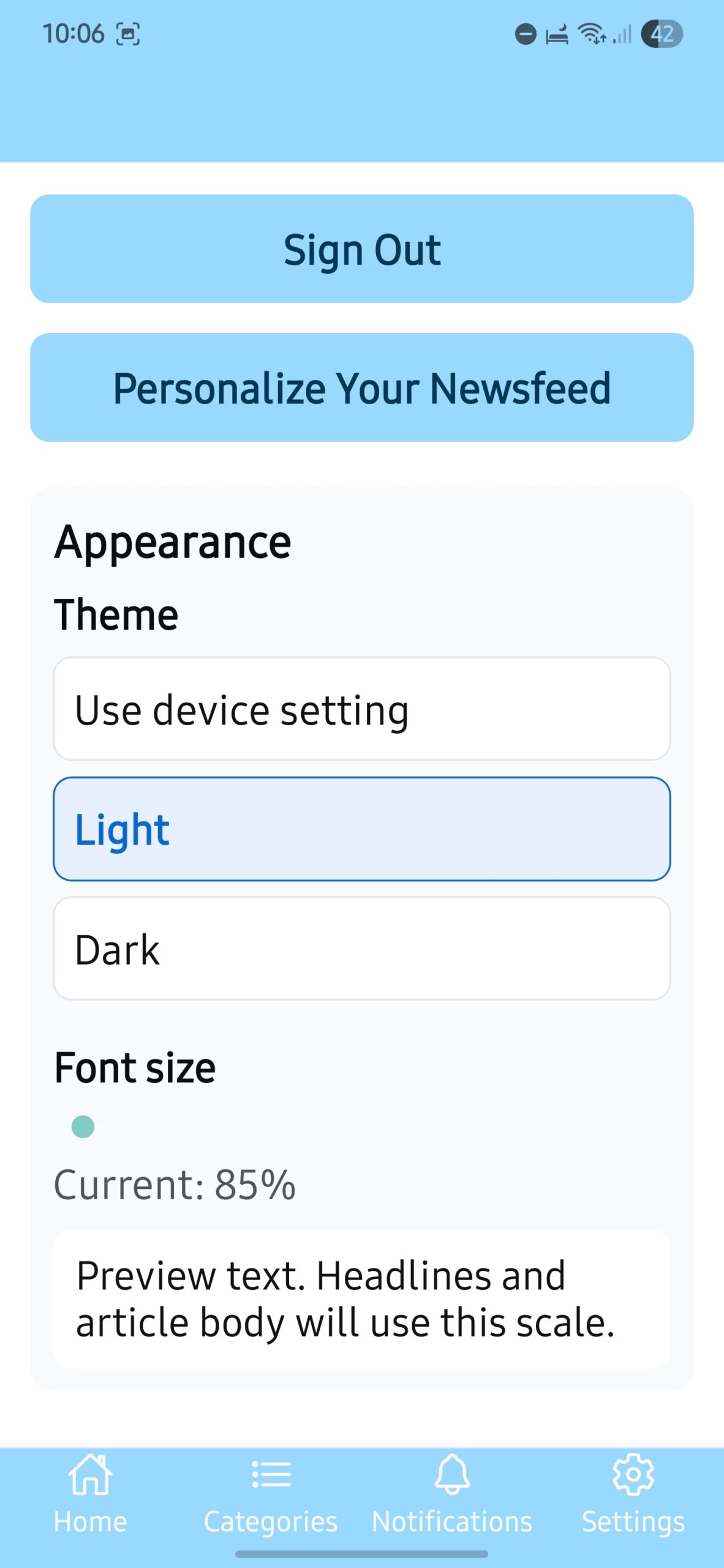
After logging into the app, consider exploring the options to make it more comfortable on your eyes. In the settings screen, you will find light or dark mode and the ability to increase or decrease the font size on articles.
Now, let’s customize your newsfeed (home tab)! This allows you to place the topics you are interested in the most on your app’s home tab, the stories you see the moment you open your app.
You will find “Personalize Your Newsfeed” on your settings tab. Or, you will find a button on the top right of your home tab that says “Customize Newsfeed”. Both options will take you to your newsfeed customization.
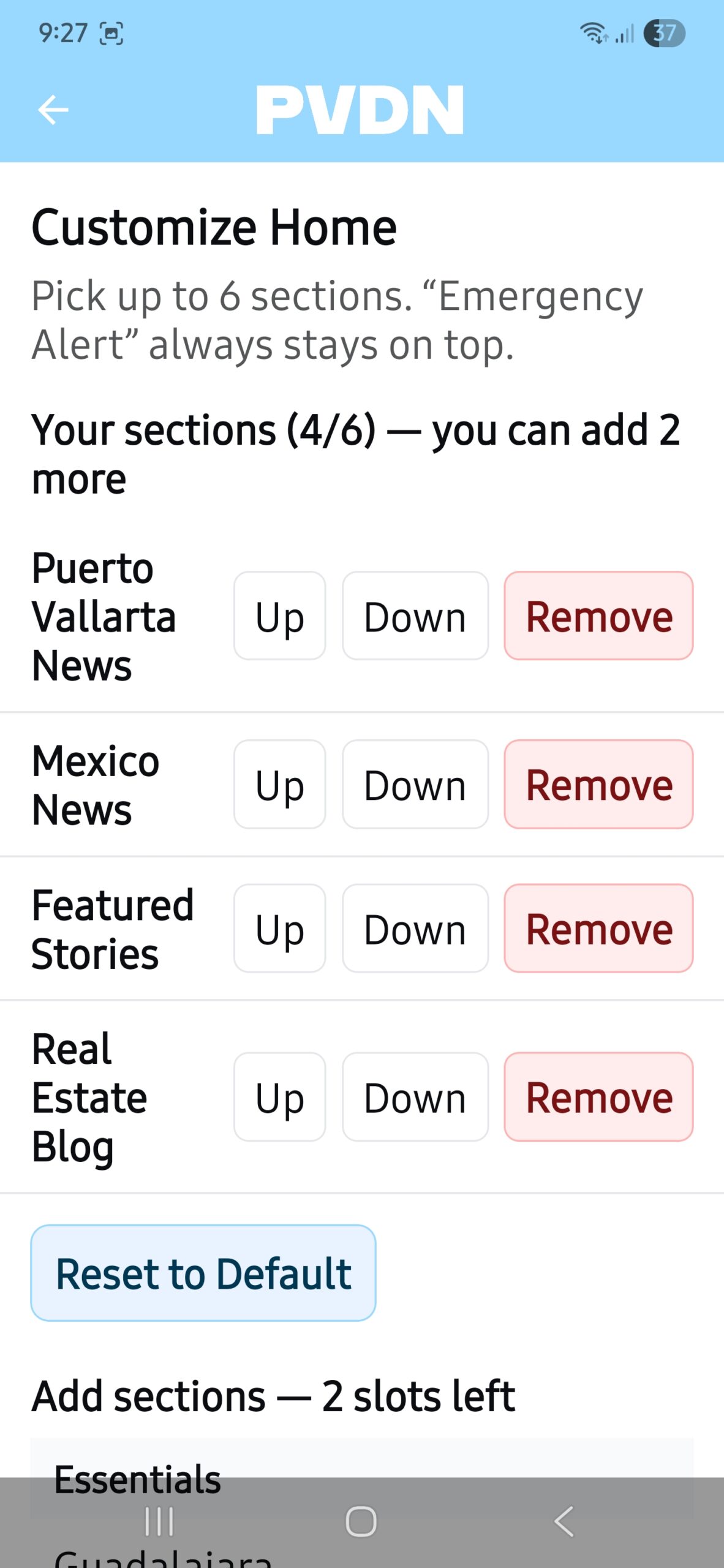
After clicking the button on the home tab or settings tab, you will be taken to your Customize Home tab. By default, you have four sections displaying on your home tab (Puerto Vallarta News, Mexico News, Featured Stories, Real Estate). You can reorder those sections by using the Up and Down buttons, or remove sections by clicking Remove.
You can have up to six sections on your home tab. You can select from the essentials, which are the most popular cities on our website. You can choose topics; for instance, if you want to see the latest LGBTQ news or Crime stories on your home tab, you can tap those topics to add to your news feed. Or you can select entire states. Select up to six items you want. You do not need to click a save button. Your choices are saved as you select topics and arrange them on your home tab.
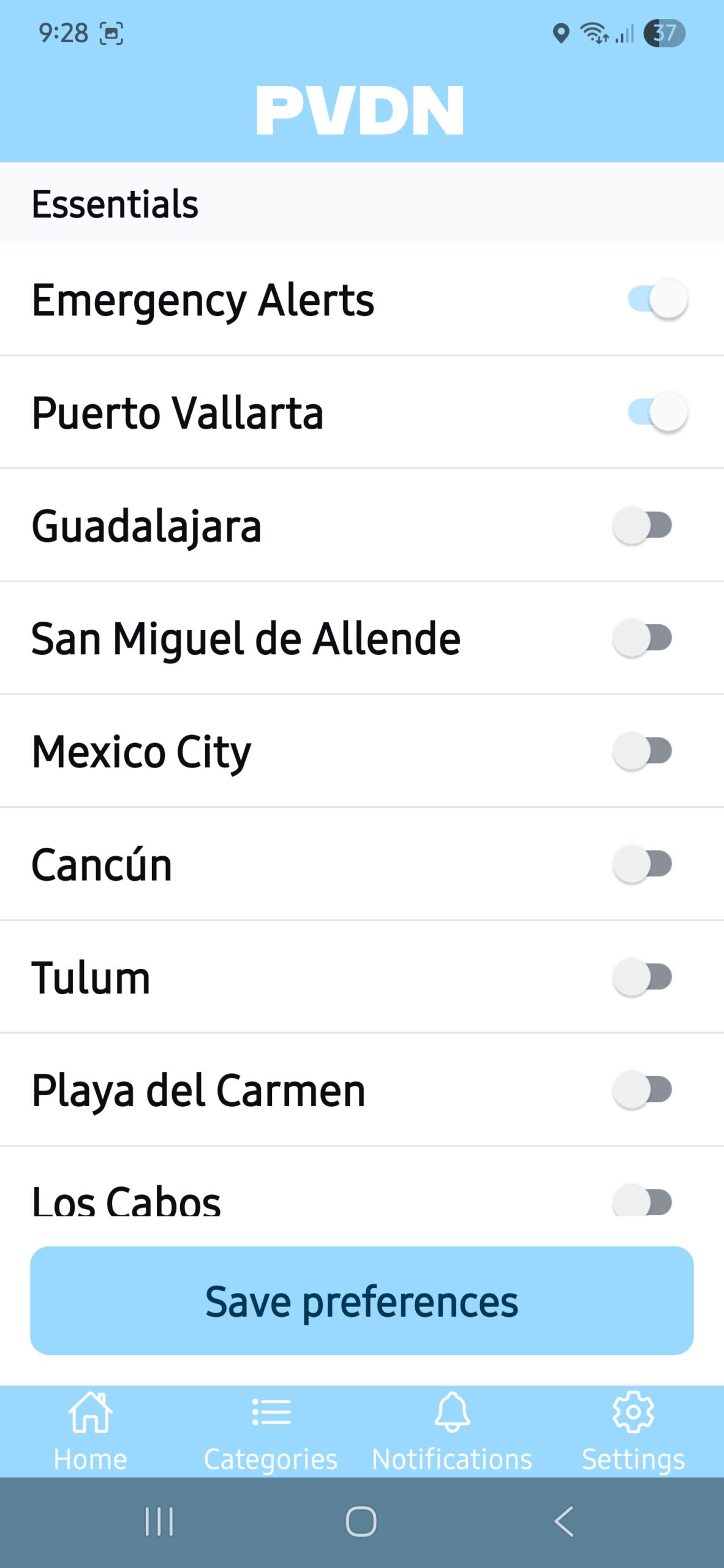
Click on your Notifications tab to set up what kind of notifications you want, or turn them off. This tab is set up a lot like your Customize Newsfeed. Choose to receive notifications about new articles from any of our popular cities, including Puerto Vallarta, or any topic or state you want to follow. Make your selections and click save. You will then receive a notification whenever a new story is published in the categories you chose. Your phone will always remember your notification subscriptions as long as you do not clear the app data from your phone settings.
If you are getting too many notifications, it is because you have not chosen the news topics and locations you are interested in; therefore, you are getting notifications for all news. Please visit the Notifications tab and select the topics and cities/states you are interested in.
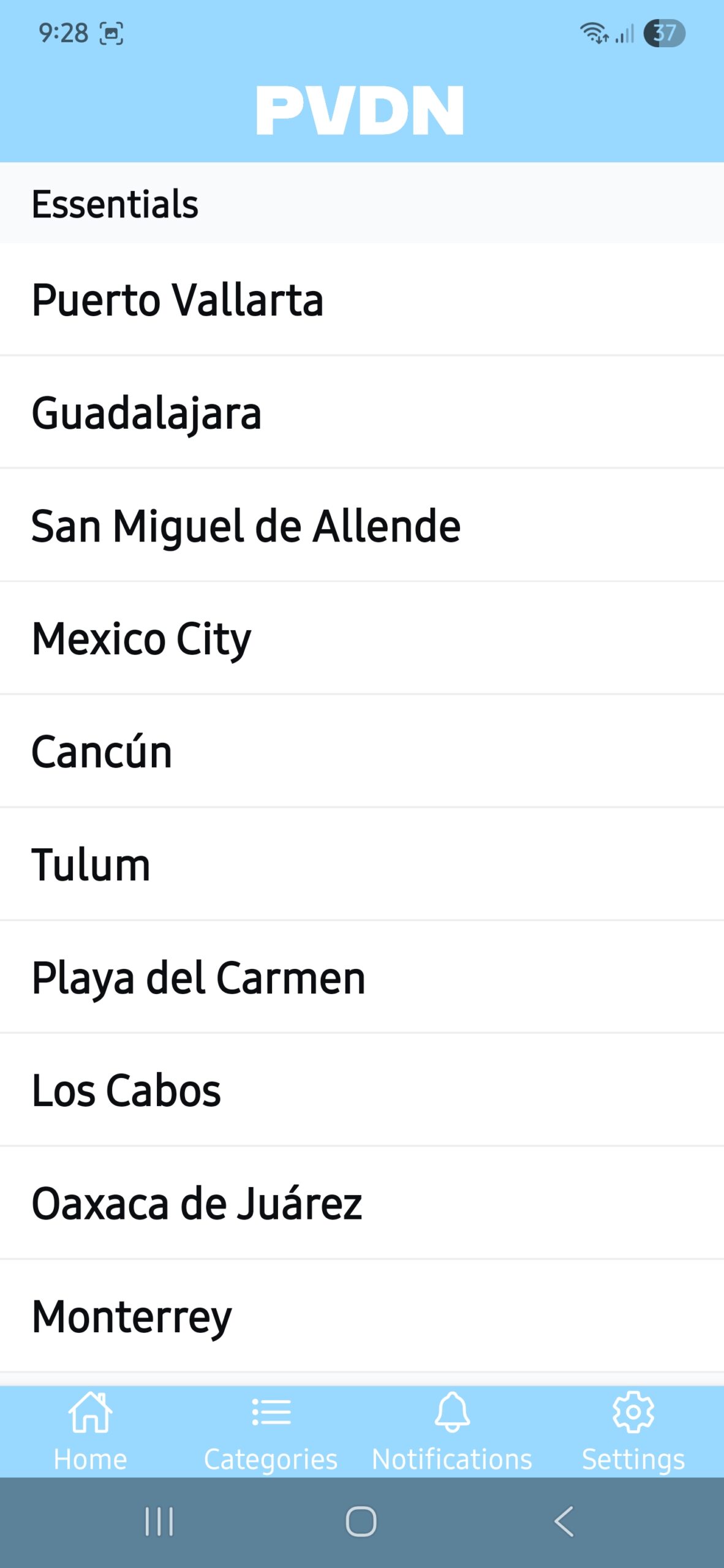
By selecting the Categories tab, you can browse the latest news from all the categories, topics, states, and cities that our articles are classified under. It is simple and self-explanatory. A convenient way to access news in a topic or location with one click.
Still having problems? Visit our help section