X

‘Follows’ by PVDN enables subscribers to select the locations and topics they wish to receive in their inbox each morning, eliminating the need to receive dozens of stories daily that may not interest them. ‘Follows’ also creates your personal newsfeed in your account home tab, so you can review the news you have chosen without filtering through dozens of categories on PVDN.
Let’s get started on a quick lesson on how to maximize your benefits (and time) with PVDN.
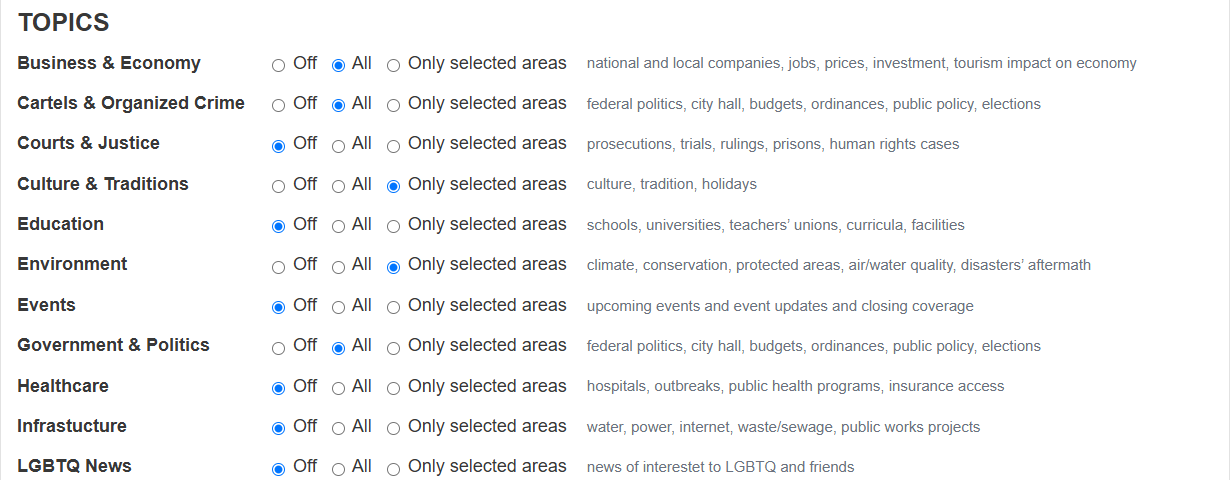
First, choose the topics you are interested in following.
When selecting topics, you have three options.
1. Off (default) – You do not want to follow any news from ‘Off’ topics.
2. All – You want to receive news from this topic in all locations that we cover.
3. Only selected areas – You want news from this topic only from the cities or states you select in ‘Locations’
In the screenshot example, these are the topics being followed:
The user wants to follow nationwide news for Business, Cartels, and Government. (They have selected ‘All’)
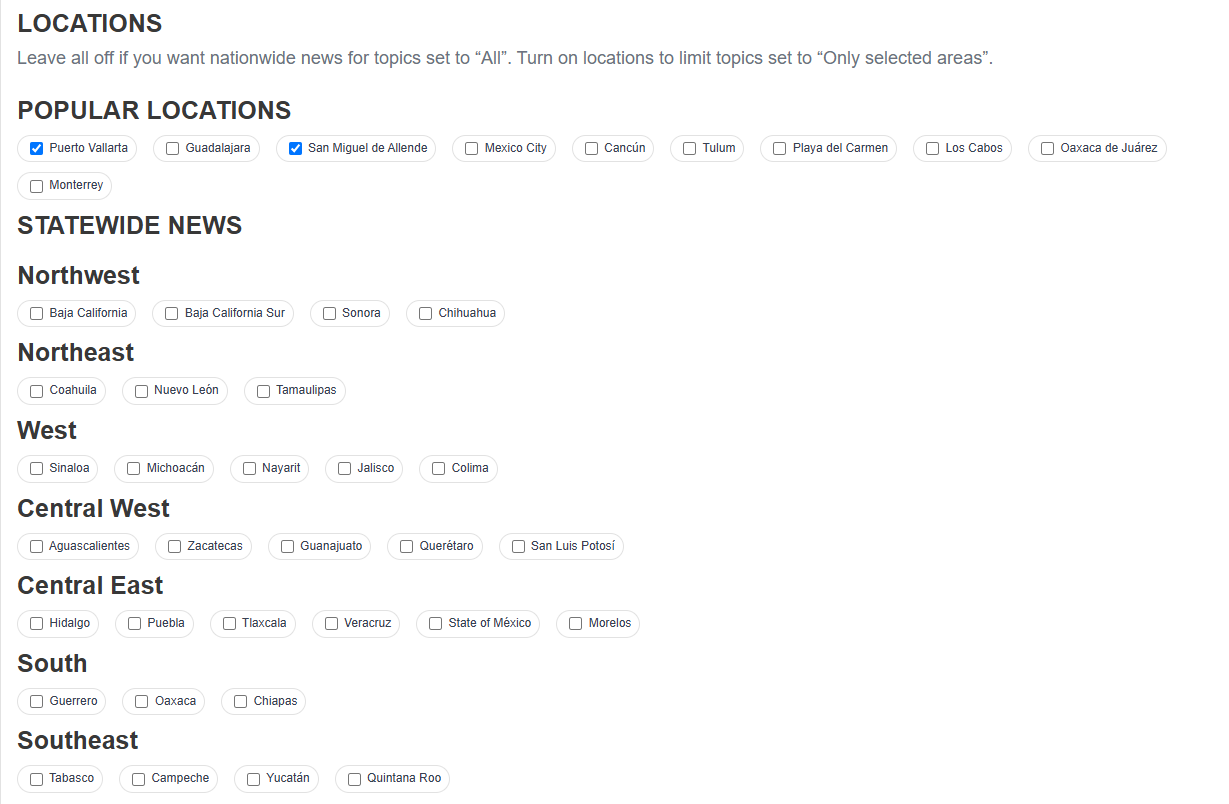
The user wants to follow Culture and Environment news only from the locations they have chosen. The user has indicated that their locations of interest are Puerto Vallarta and San Miguel.
So, the user, based on this example, is following these news stories:
1. Nationwide Business News
2. Nationwide Cartel News
3. Nationawide Government News
4. Culture News from Puerto Vallarta and San Miguel
5. Environment News from Puerto Vallarta and San Miguel
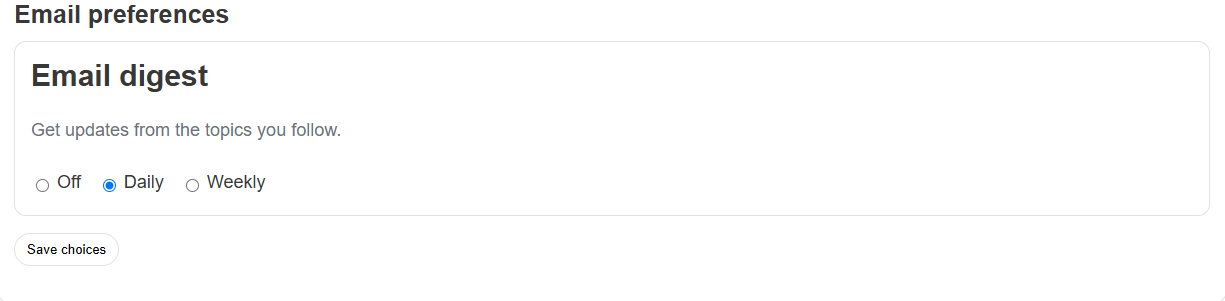
Lastly, the user has chosen to receive their news stories by email every day (about 8 AM every morning).
Ready to set up your PVDN Follows? Start Now